> For the complete documentation index, see [llms.txt](https://whitepaper.xtrip.travel/llms.txt). Markdown versions of documentation pages are available by appending `.md` to page URLs; this page is available as [Markdown](https://whitepaper.xtrip.travel/others/marketplace.md).
# Marketplace
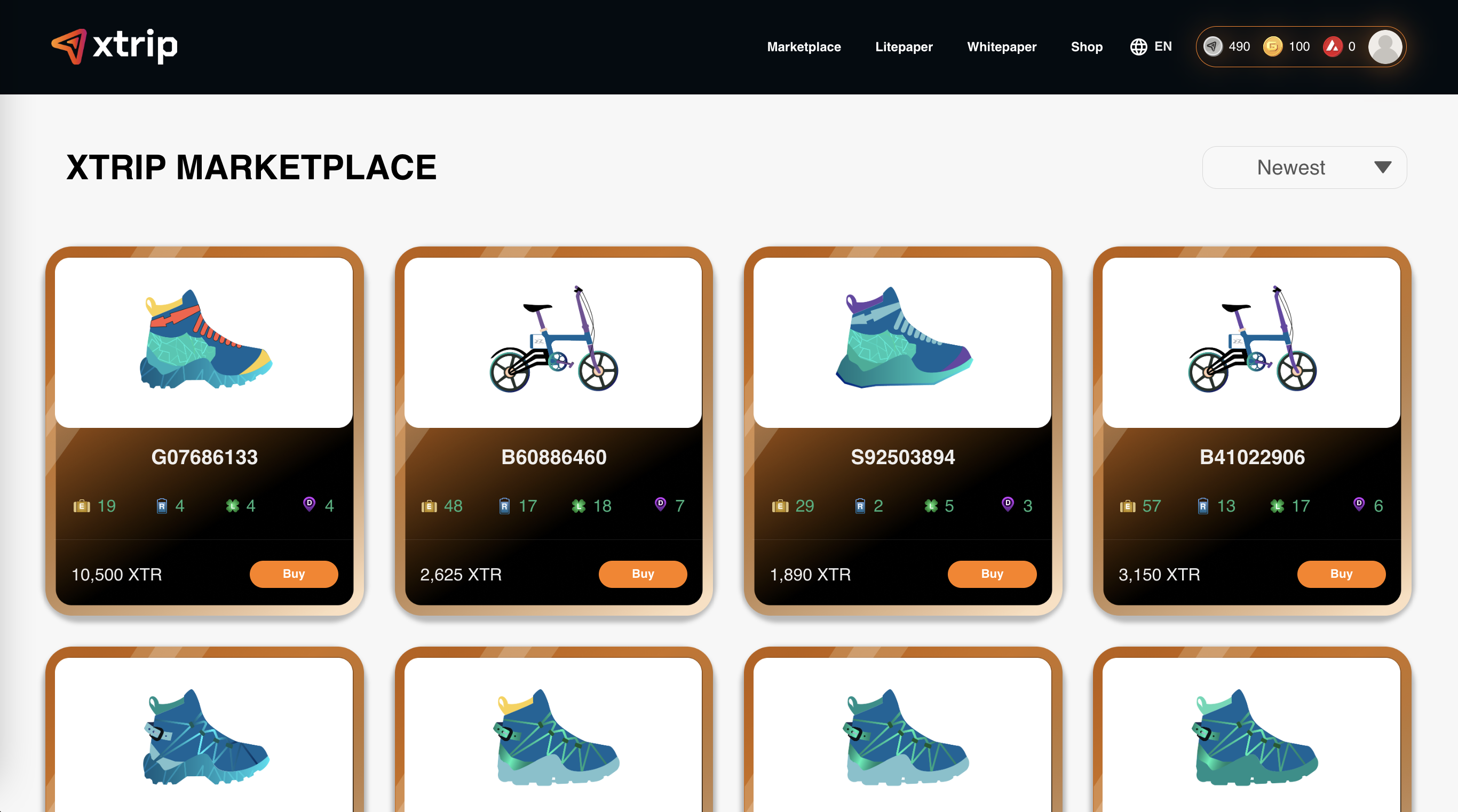
xtrip Marketplace is where users can sell their Transportation NFTs or buy placed NFs.
## Buy NFTs on xtrip Marketplace
To buy NFTs on xtrip Marketplace, access xtrip webapp at
Step 1: Choose NFT you want to buy;
Step 2: Check the NFT’s index and click on Buy now;
Step 3: Confirm to buy NFT.
## Sell NFTs on xtrip Marketplace
You can easily sell one of your NFTs that is not often used to get XTR on xtrip Marketplace by following these simple steps:
Step 1: Choose the NFT you want to sell and click on "Sell";
Step 2: Decide the price carefully and choose "Sell now";
Step 3: Confirm.